Loading...
play.aspiremc.xyz
Click to copy IP
Welcome to the AspireMC Australia Wiki!
Here you will find guides and information about the server.
Everyone Starts With 10k Claim Blocks.
This means you can initially claim a 100x100 Area.
Or two 100x50 Area.
You receive more claim blocks as you rankup, also can purchase through /shop
How To Claim Land!
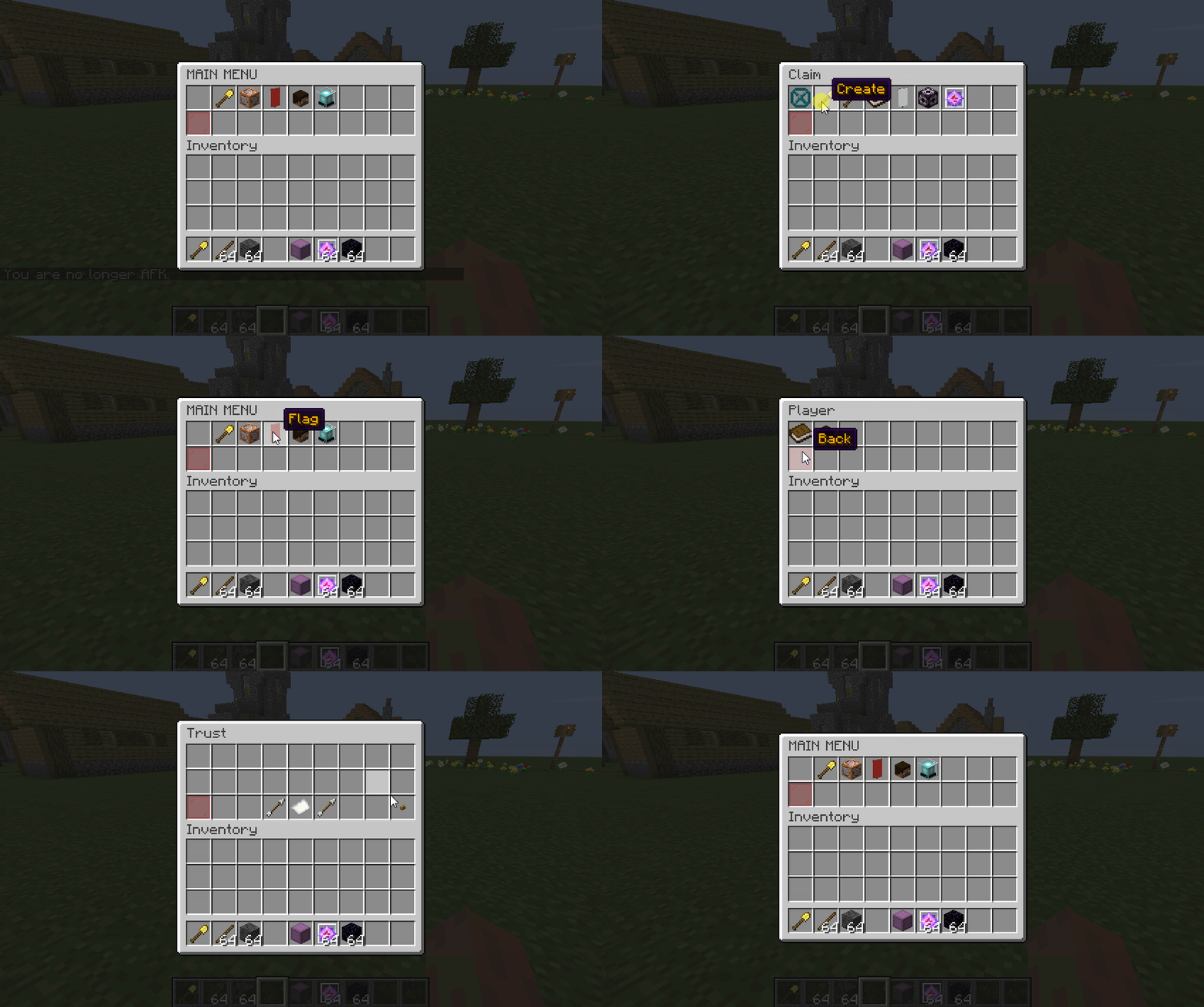
First, enter claim mode - /claim
Then right click two opposite corners!

Re-Size your claim.
First enter claim mode again. Now right click the corner of your claim and select new corner!

After making a claim you can customize it with flags!
Flags let you control what can happen in your claim, such as, mob spawns, pvp, creeper explosions, fall damage etc
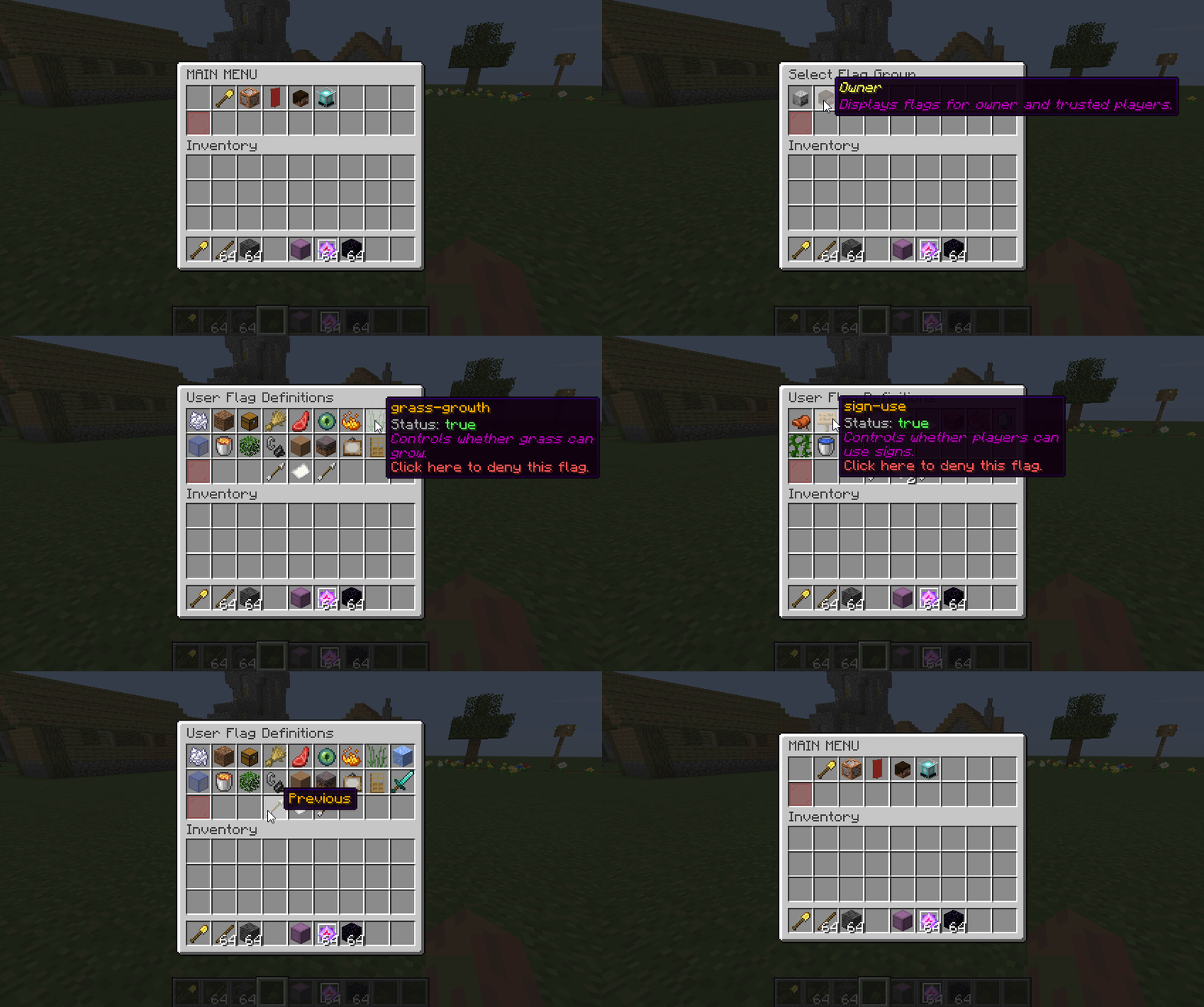
Check things like remaining claim blocks.
/protect
AspireMC Homes
Everyone starts with 5 homes.
This means you can create 5 homes that you can teleport to.
You will get more as you rank up!
/sethome <name> - Sets home at that location
/home <name> - Teleports you to specified home
/delhome <name> - Removes that home
/homes - Lists all homes
Player Shops
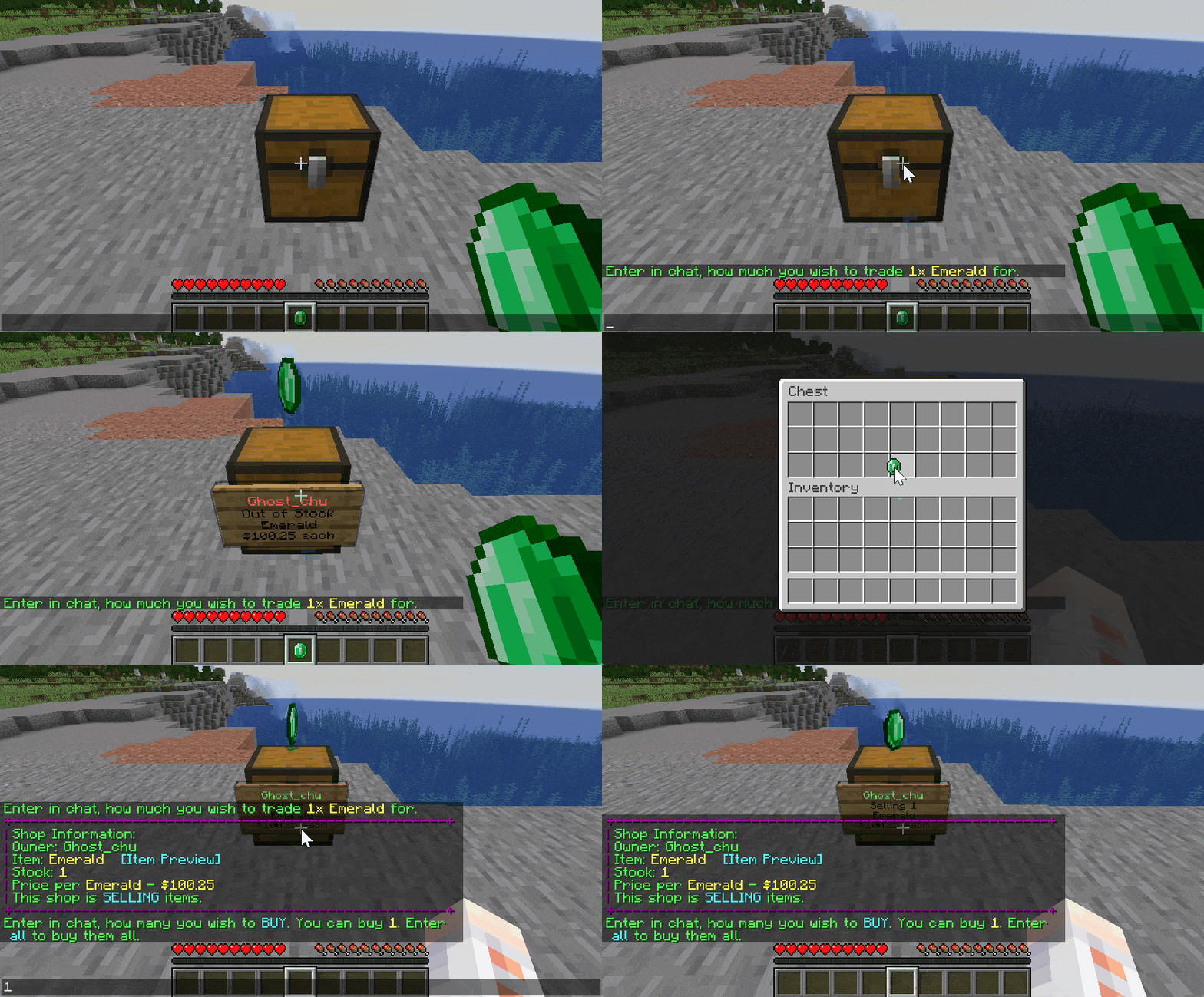
On AspireMC You can create a shop to sell to other players!
To create a shop simply hit (left click) a chest with the item you want to sell.
Then type the price for the item you want to sell.
Then just fill the chest with items!
How to purchase from a shop!
Hit (left click) the sign on the chest and type how many items you want to purchase in chat.
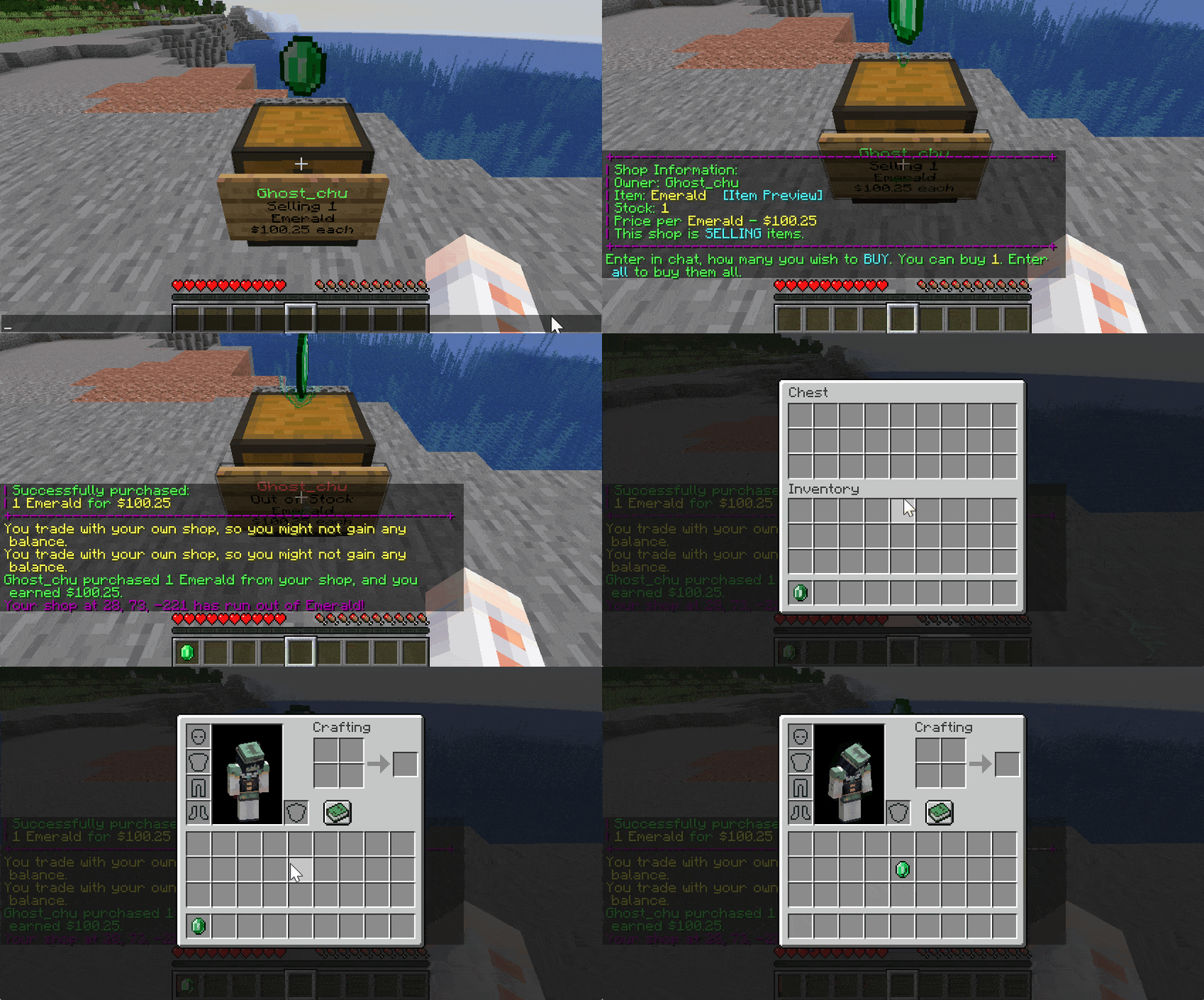
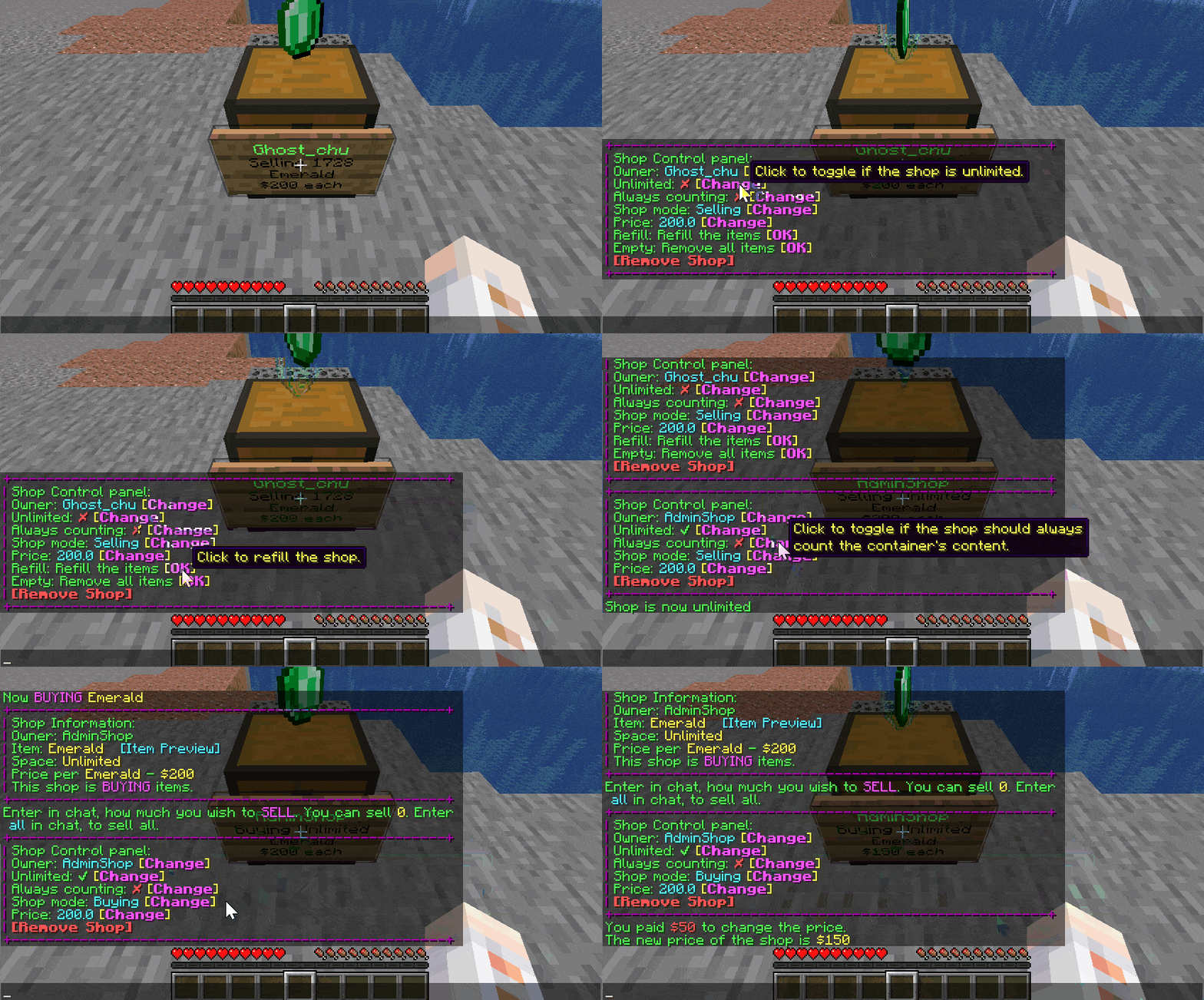
For your own shop if you would like to edit it simply right click the sign on that shops chest.
Now you can adjust settings for your shop.
Player Warps
Warps allow you to set a location that you or other players can teleport to!
/pw - Opens warp GUI
/pw set <name> - Creates warp at that location
/pw rename <warp> - Renames existing warp
/pw remove <warp> - Removes that warp
/pw desc set/remove <warp> <description> - Sets or removes description of warp
/pw icon <set/remove> <warp> - Sets or removes icon for warp
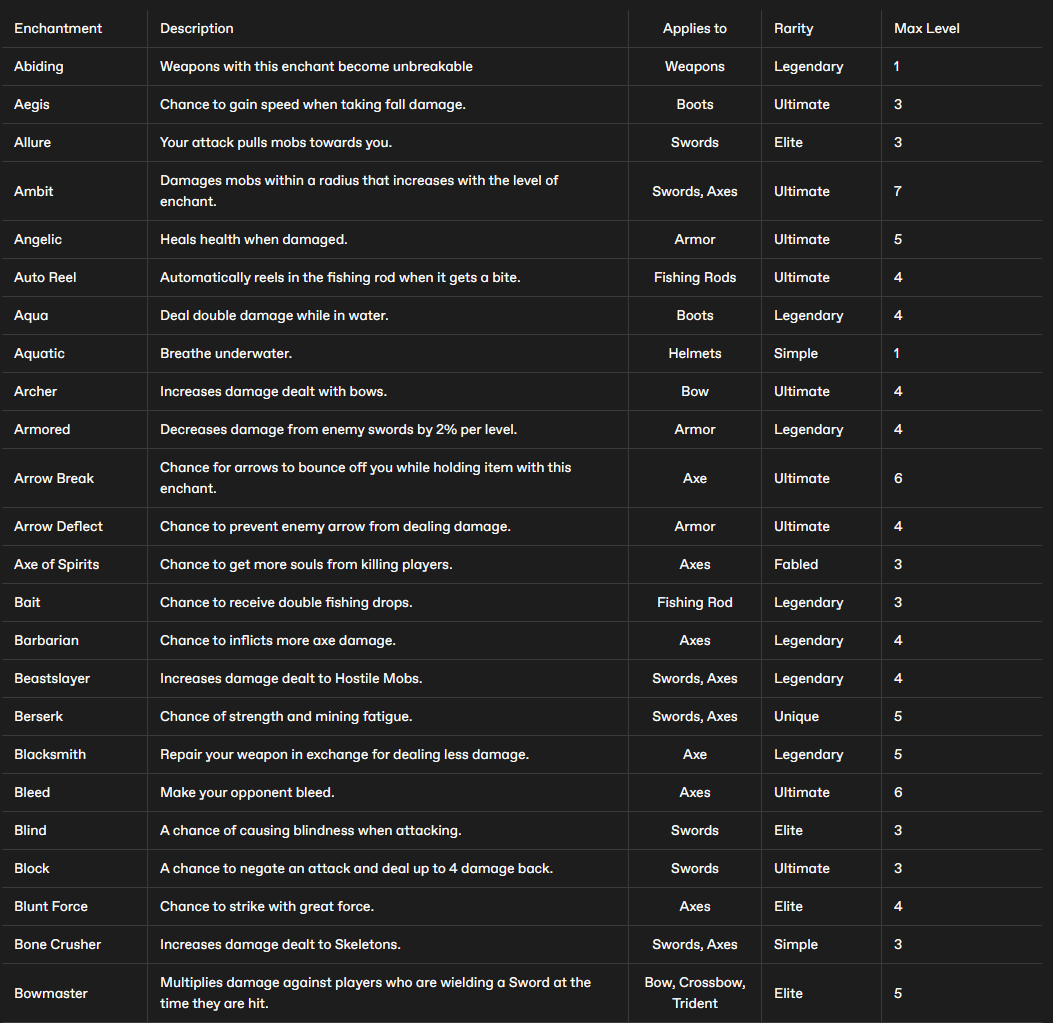
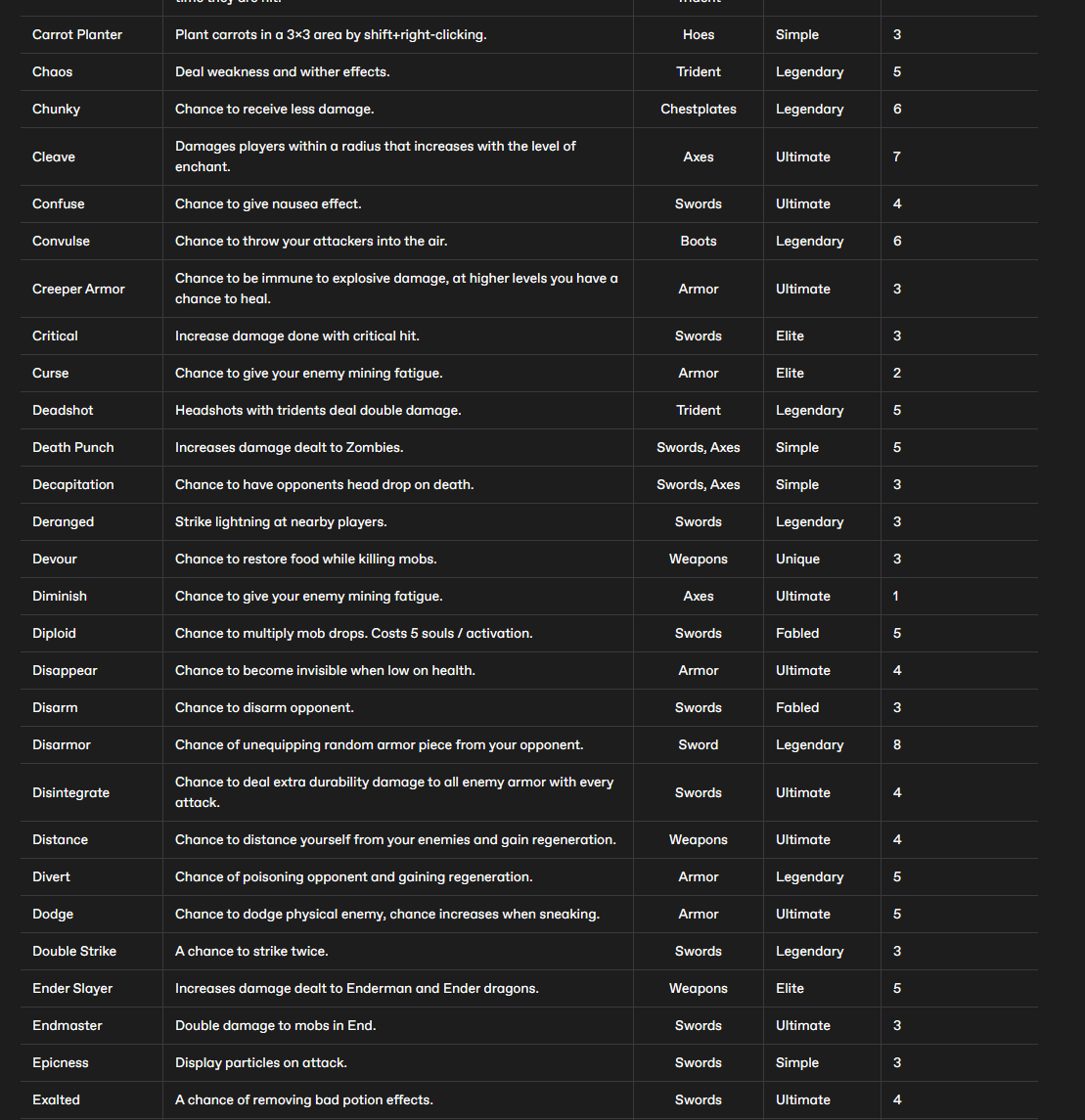
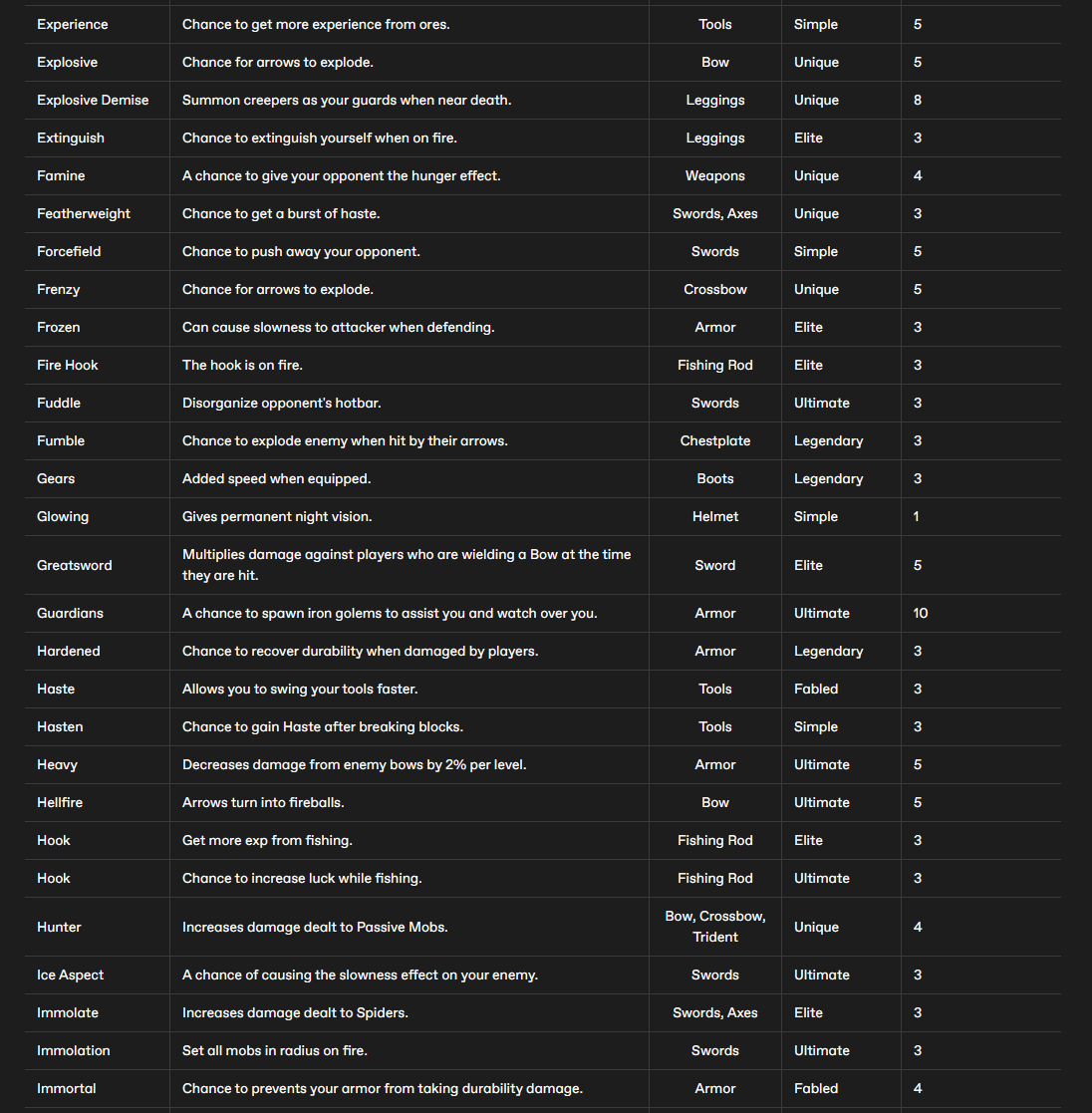
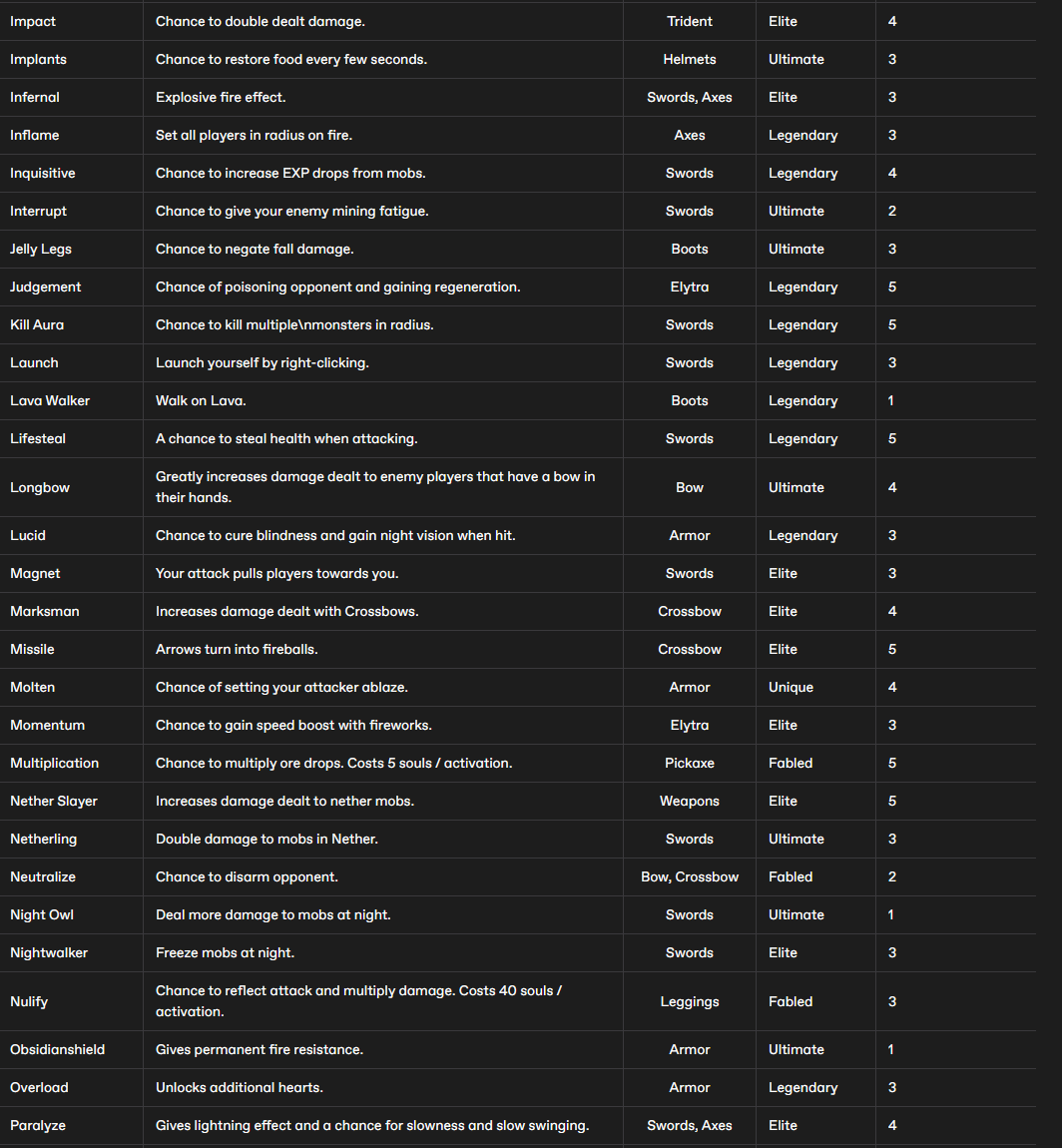
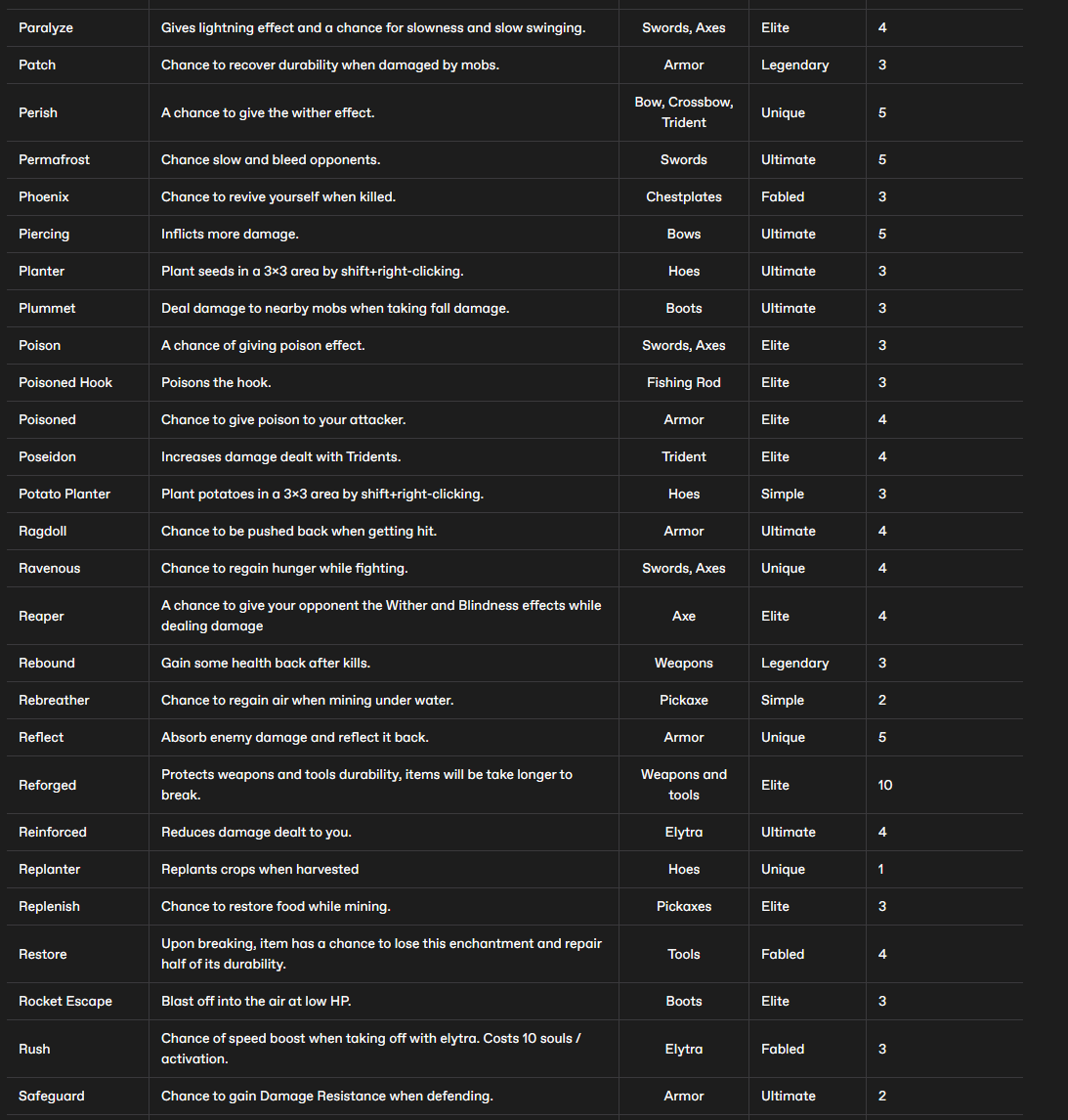
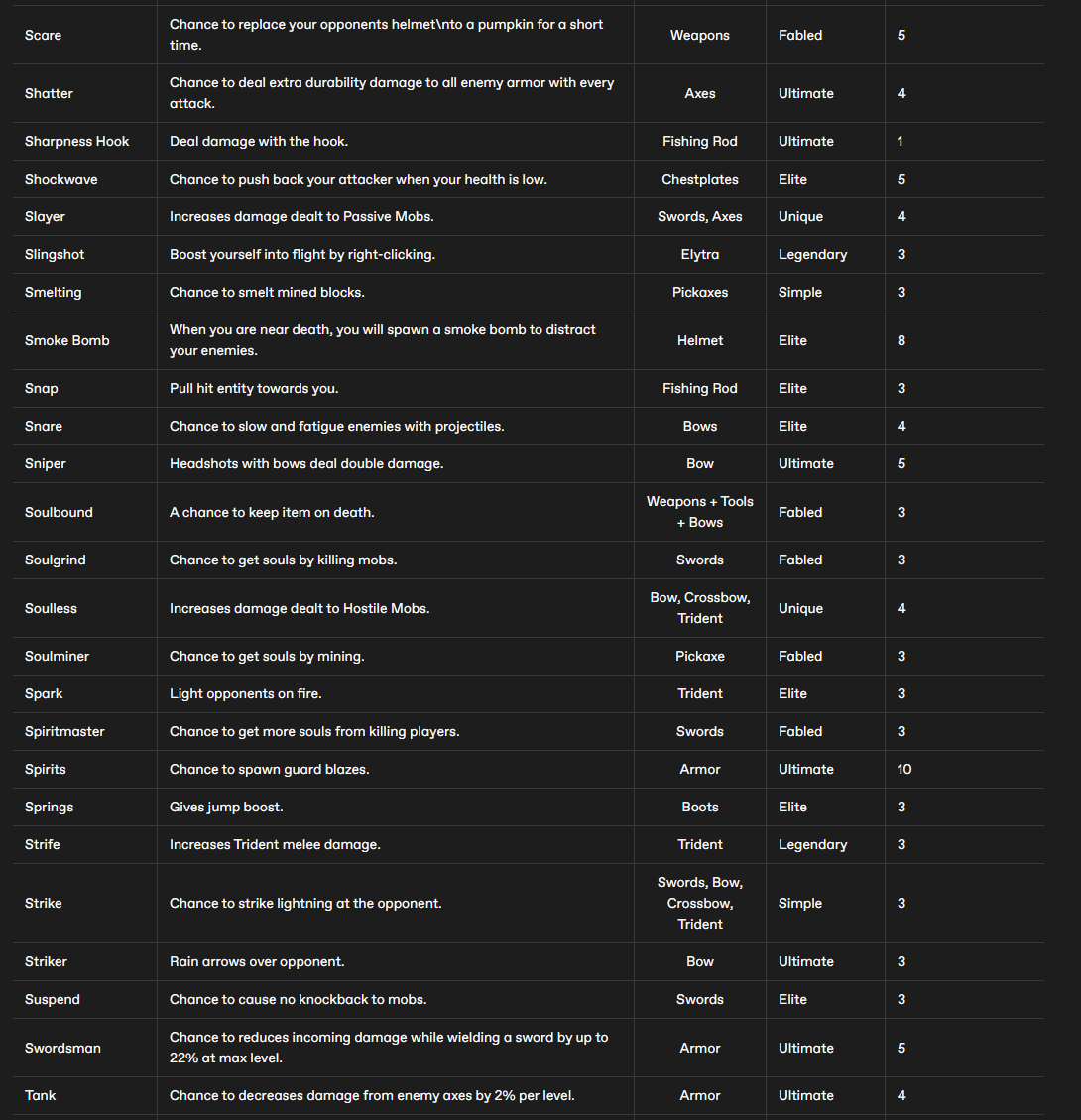
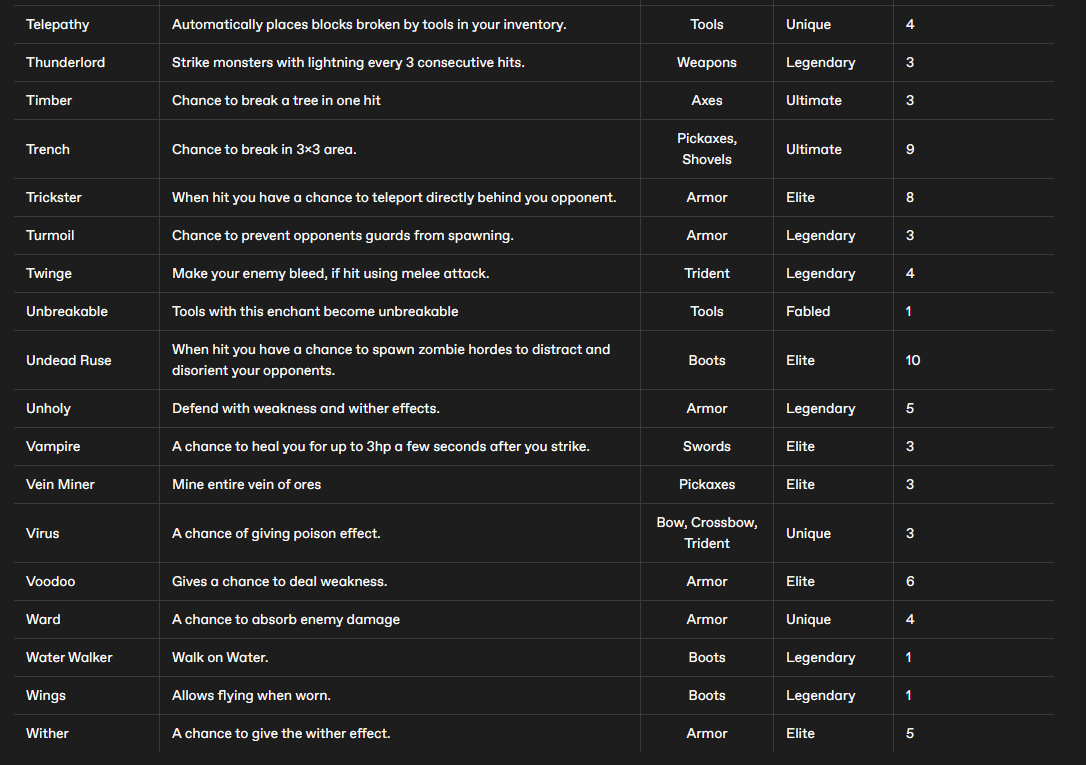
AspireMC Custom Enchants!
Purchase These Books At Spawn